本地配置
arthas 有多种启动方式:
- java agent 像 skywalking 一样
- as.sh 利用 arthas 的 shell 启动 或者 java -jar 启动
- sprintboot starter 集成到应用中启动
我们采用最方便的把 arthas 集成到 springboot-starter 的应用中启动
加入相关依赖
 1      <dependency>
 2            <groupId>com.taobao.arthas</groupId>
 3            <artifactId>arthas-spring-boot-starter</artifactId>
 4            <version>3.4.8</version>
 5            <scope>runtime</scope>
 6        </dependency>
 7
 8        <dependency>
 9            <groupId>org.springframework.boot</groupId>
10            <artifactId>spring-boot-starter-actuator</artifactId>
11        </dependency>
12        <dependency>
13            <groupId>org.springframework.boot</groupId>
14            <artifactId>spring-boot-starter-test</artifactId>
15            <scope>test</scope>
16            <exclusions>
17                <exclusion>
18                    <groupId>org.junit.vintage</groupId>
19                    <artifactId>junit-vintage-engine</artifactId>
20                </exclusion>
21            </exclusions>
22        </dependency>
修改 application.yml 配置文件
 1# arthas tunnel server配置
 2arthas:
 3  agent-id: arthasDemo
 4  tunnel-server: ws://47.75.156.201:7777/ws
 5
 6# 监控配置
 7management:
 8  endpoints:
 9    web:
10      exposure:
11        include: '*'
12  endpoint:
13    health:
14      show-details: always
启动
本地访问 http://localhost:8080/actuator/arthas 查看 arthas 配置信息
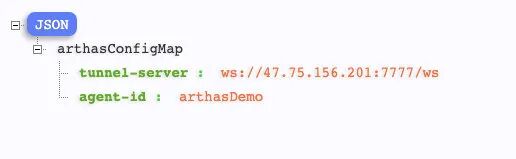
其他配置可以参考:https://arthas.aliyun.com/doc/arthas-properties.html
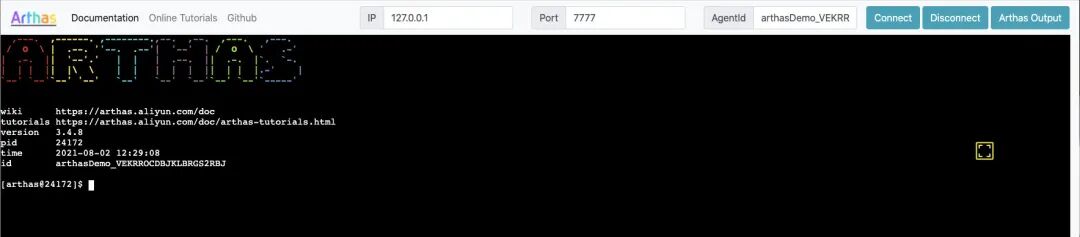
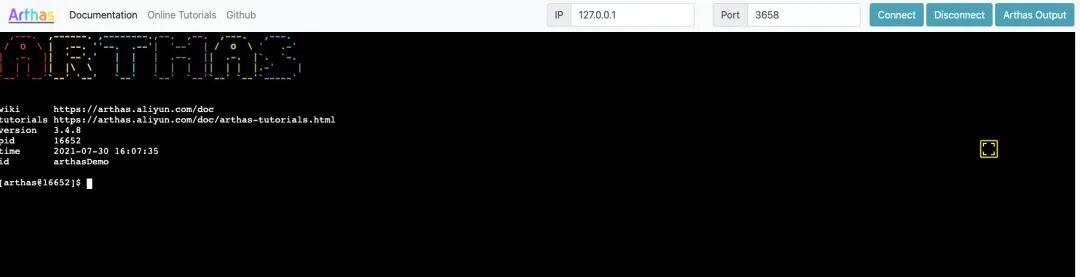
启动项目后,然后在浏览器中输入 http://localhost:3658 地址(web console)。显示如下界面,就代表已经设置成功了。
Arthas Tunnel Server
通过 Arthas Tunnel Server/Client 来远程管理/连接多个 Agent。
部署 Tunnel Server
下载 jar 包 https://github.com/alibaba/arthas/releases
1## Arthas tunnel server 是一个 spring boot fat jar应用
2## 直接java -jar启动:
3java -jar  arthas-tunnel-server.jar
默认情况下,arthas tunnel server 的 web 端口是 8080,arthas agent 连接的端口是 7777 也可以修改端口,比如 java-jar arthas-tunnel-server.jar --server.port=8082
远程连接管理多个 Agent
部署起来后,agent 的配置就可以生效了,比如
1arthas:
2#  telnetPort: -1
3#  httpPort: -1
4  tunnel-server: ws://127.0.0.1:7777/ws
5  app-name: arthasDemo
此时打开 Tunnel Server http://127.0.0.1:8082/ 是空白的
需要 AgentId, 可以通过 http://127.0.0.1:8082/apps.html 打开连接上的应用,再点击应用名称便可以看到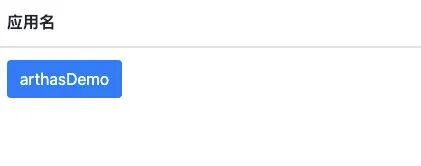

点击按钮,或输入 AgentId 便可连接上指定的 agent 了